
 Contact





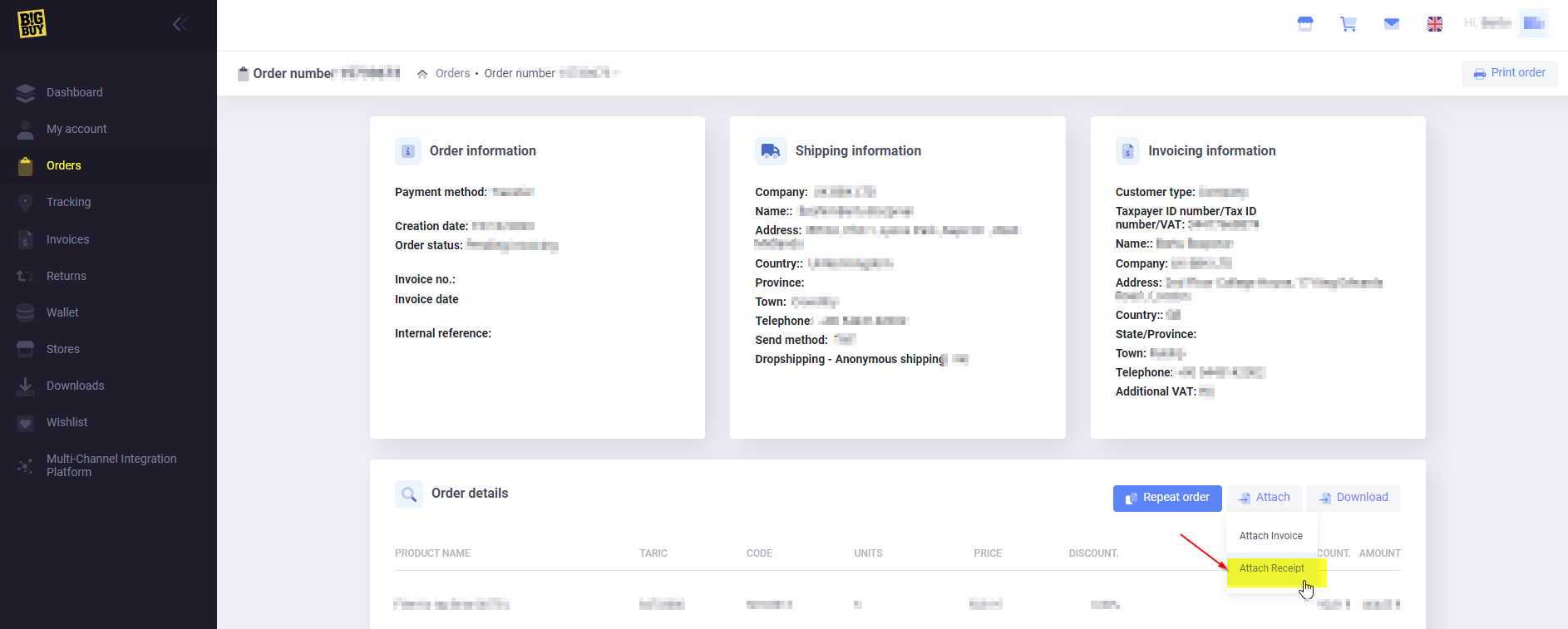
To attach the transfer receipt you need to:
- Log in to your BigBuy account in Control Panel > Orders > Corresponding order.
- Click on Attach > Attach receipt.
If the proof of payment is valid, the orders or the wallet reloads will be validated within 24-48h. Otherwise, they will not be validated until the amount of the order is received.
For a voucher to be valid it must be an official document issued by the bank with its name and logo. It must also contain the following information:
- Order No.
- Date of execution in DD/MM/YYYY. At latest to be executed by the following day
- Our full bank account number: ES35 0049 4606 7926 1627 6072
- Exact amount in EUROS. It is not possible to pay by multiple transfers or by several payment methods.