
 Contact





If you have a Prestashop store, you can learn how to activate or deactivate the languages on your store below.
If you want to enable or disable languages in Prestashop you must follow these steps:
1. Go to your Prestashop backoffice > International > Localization.
2. Click the “Languages” tab as shown on the picture below.
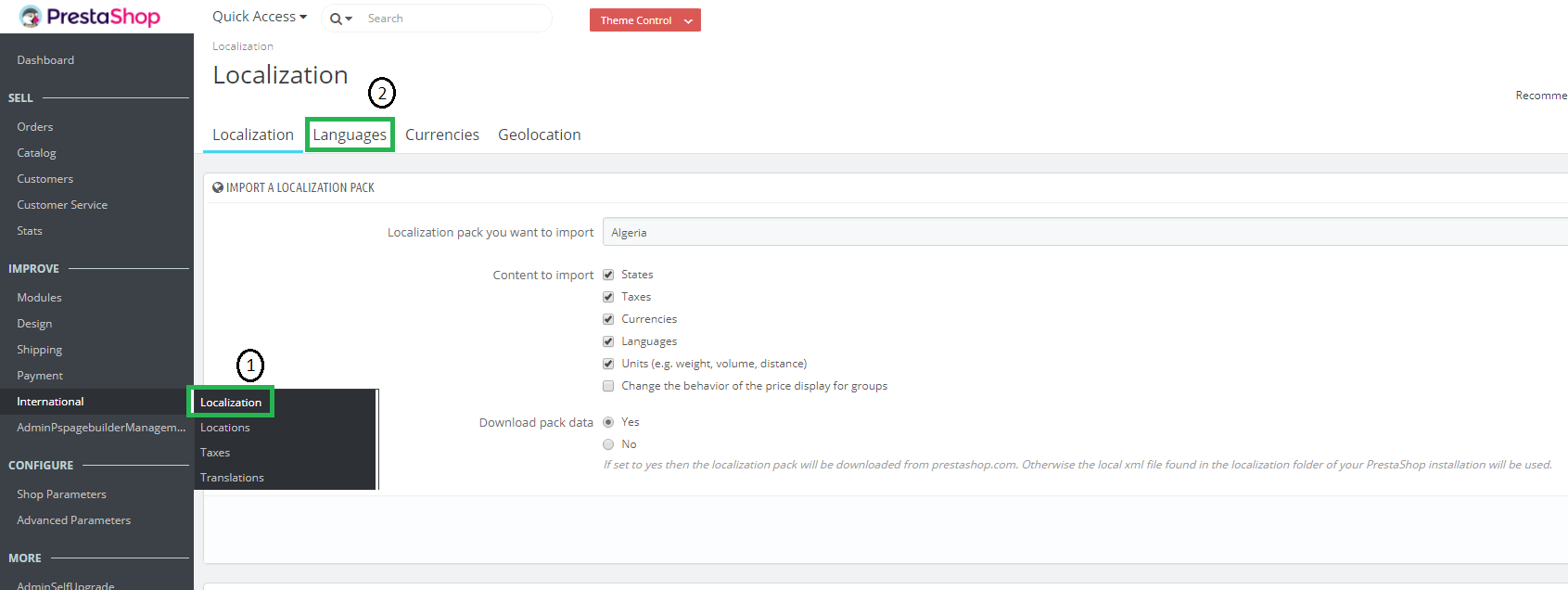
3. In this section you will find all the available languages. You can enable or disable any languages by clicking on the column “Enabled” as shown in the image.
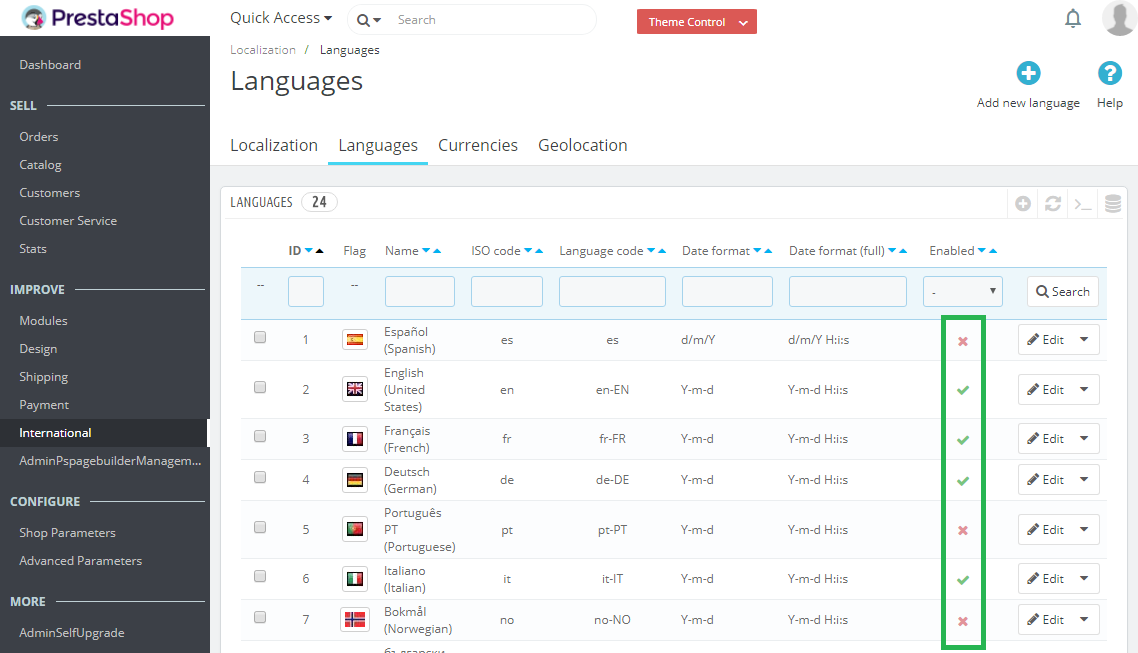
Disabled languages are marked with a red cross symbol while the enabled languages are marked with a green check symbol.
Remember that you can have up to six languages enabled at the same time.
Once the chosen languages are activated within the PrestaShop, you should synchronise the content in the languages that you have just added. To do this, go to the Multi-Channel Integration
Platform and follow the instructions in this post to carry out the process.