
 Contact





Within your Wix store you must access the configuration area and then the Shipping area.
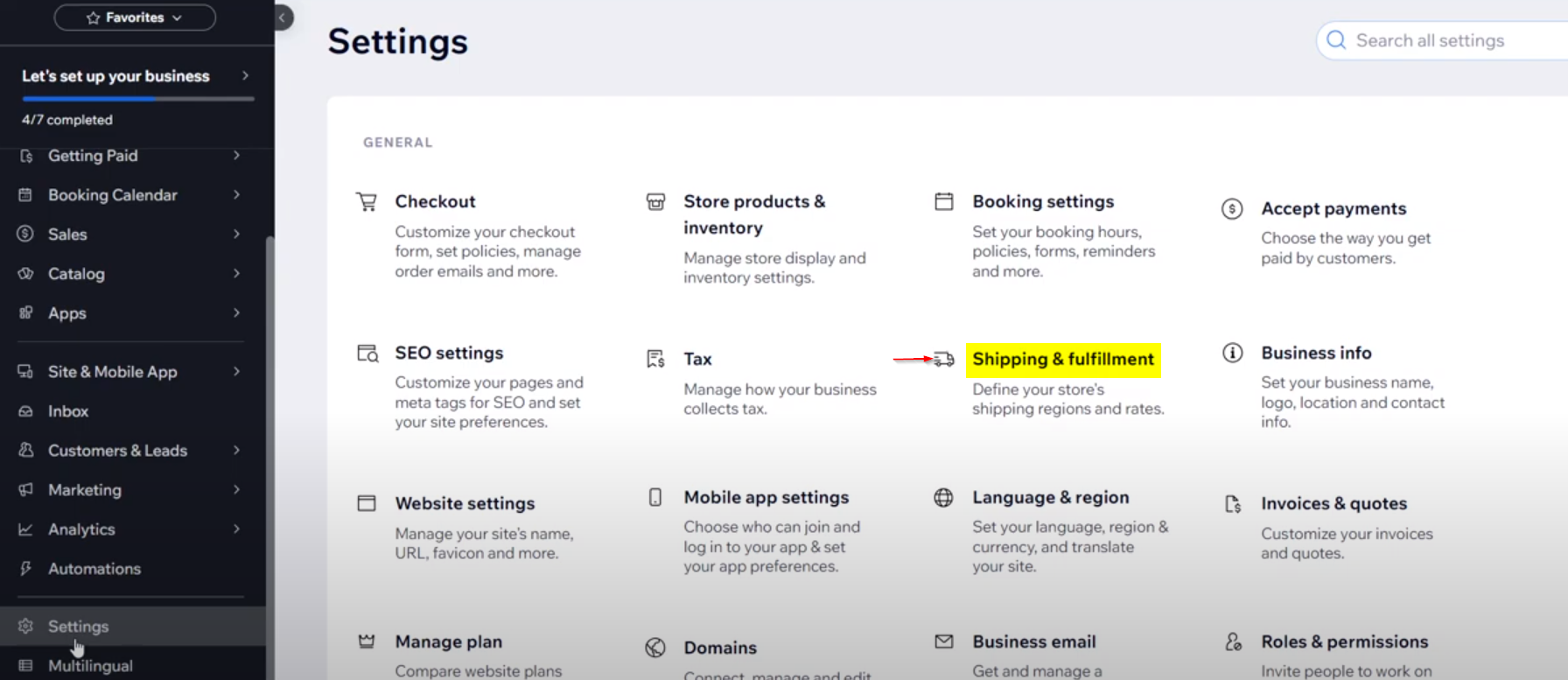
In this section you can add the regions to which you want to be able to serve your shipments.

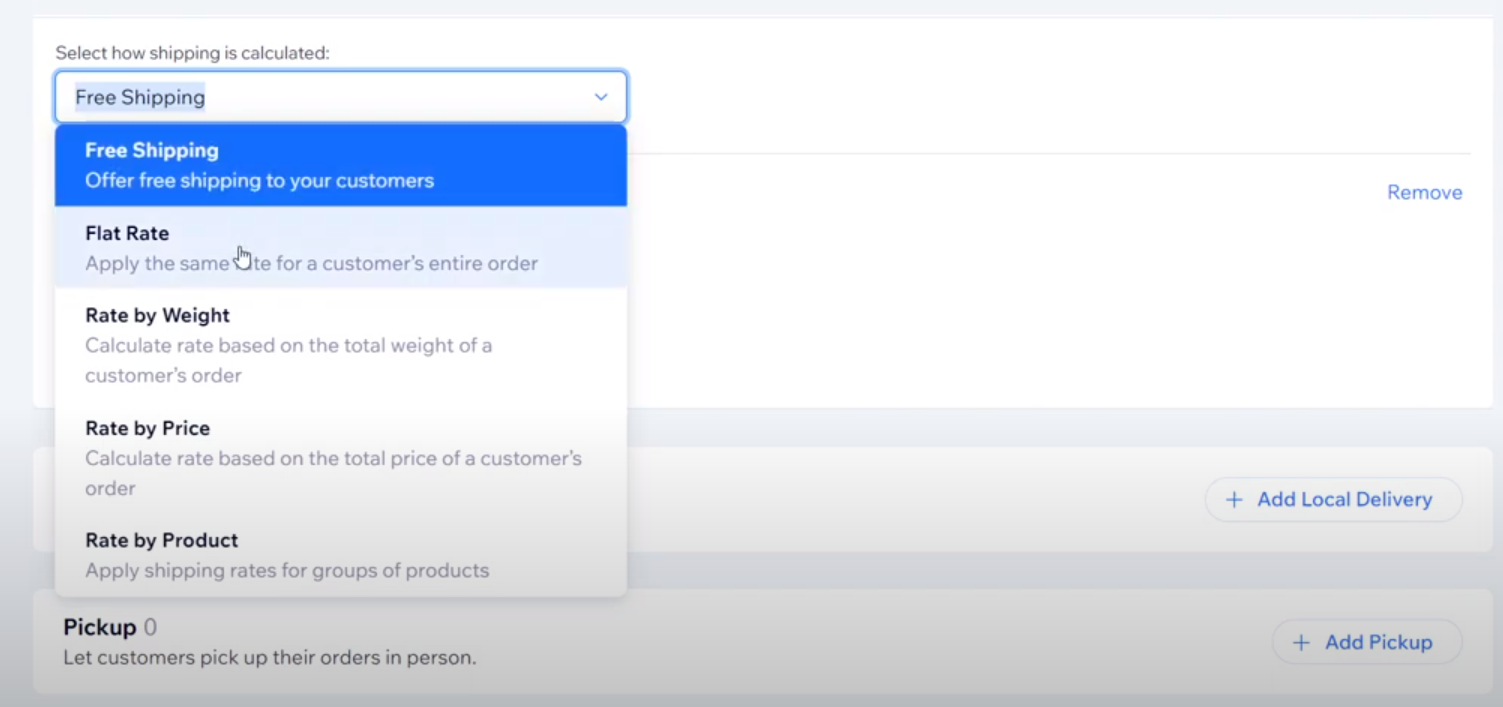
In this section, choose the country or countries that will use this shipping template. You must also choose whether you want to use a fixed price, free shipping, or other options. Keep in mind that you’ll need to configure the value to suit your needs.
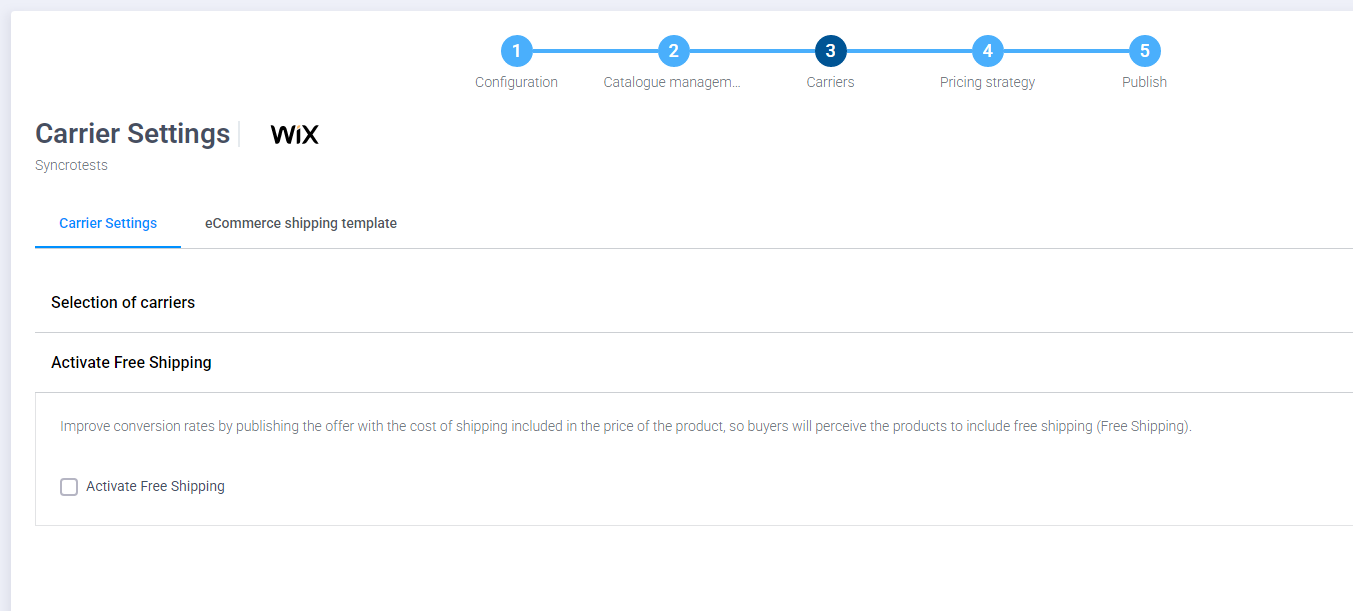
If you want to use free shipping, you have an option in the multichannel option to add a premium to the products and cover the shipping cost.
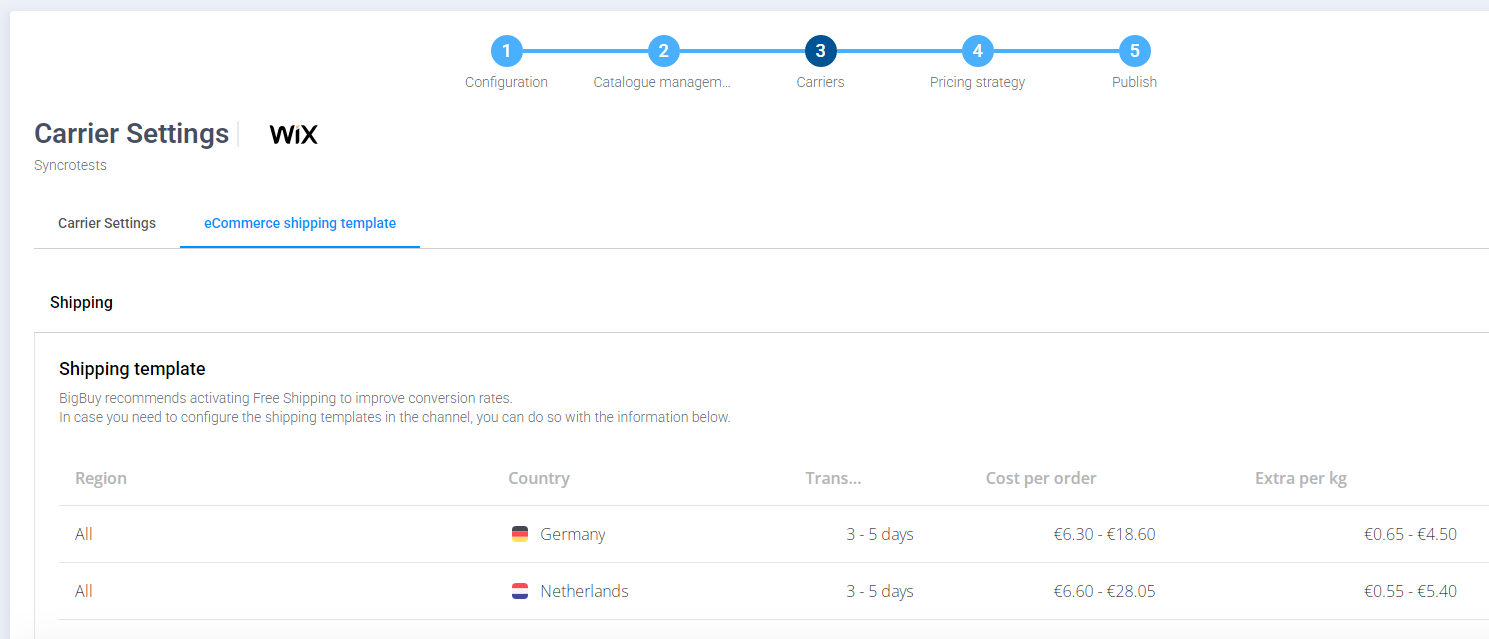
If, on the other hand, you prefer to choose a fixed price, there is a general information table in the multichannel that will serve as a guide to setting shipping prices.
Remember that once you have set the values within Wix you must save the changes using the Save button that appears in the upper right area of the Wix interface.