 Contact





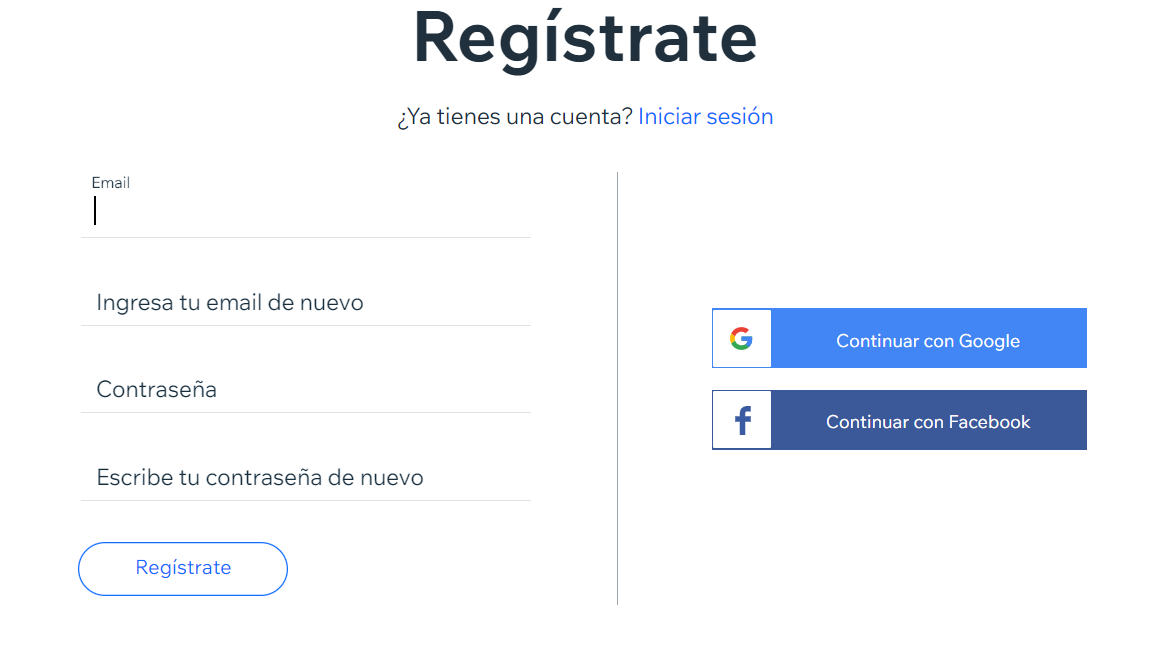 If you don’t yet have a store on Wix…
Once you have registered, you will then choose the type of website you want to create. In this case: an online store, and you will choose how you want to create your store, either automatically by answering some of Wix’s questions or by using a template.
If you have followed all the steps and have already created your store on Wix, go to the control panel and click on Manage applications > Store to configure everyth.ing you need.
If you don’t yet have a store on Wix…
Once you have registered, you will then choose the type of website you want to create. In this case: an online store, and you will choose how you want to create your store, either automatically by answering some of Wix’s questions or by using a template.
If you have followed all the steps and have already created your store on Wix, go to the control panel and click on Manage applications > Store to configure everyth.ing you need.
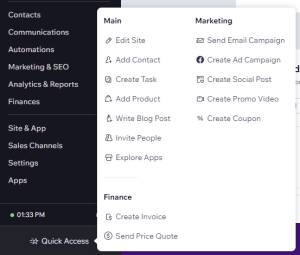
 Once here, if you want to edit your site (banners, texts, etc.) you can do so from Quick access. > Edit site.
Synchronise your Wix store with the Multi-Channel Integration Platform via private app
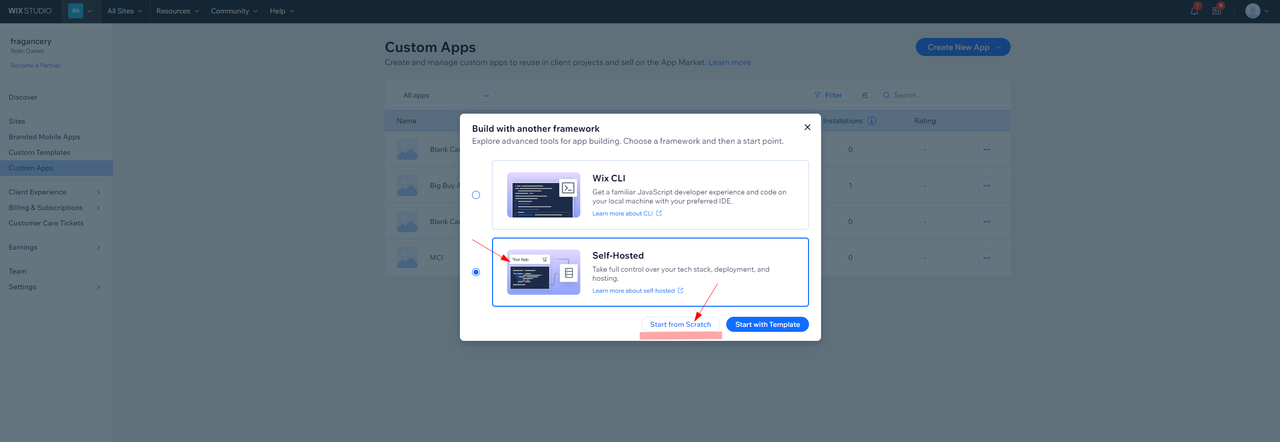
Create an app on Wix to synchronise with the Multi-Channel Integration Platform Once you have created the store, you can go on to create the application that you will need to synchronise with the Multi-Channel. To do this, go to Wix Developer Center and log in using the same account and password you used to create the store. Once inside, click on My apps, and click on Start Building. If you already have other apps installed, click on Create New App and then click on Explore other frameworks.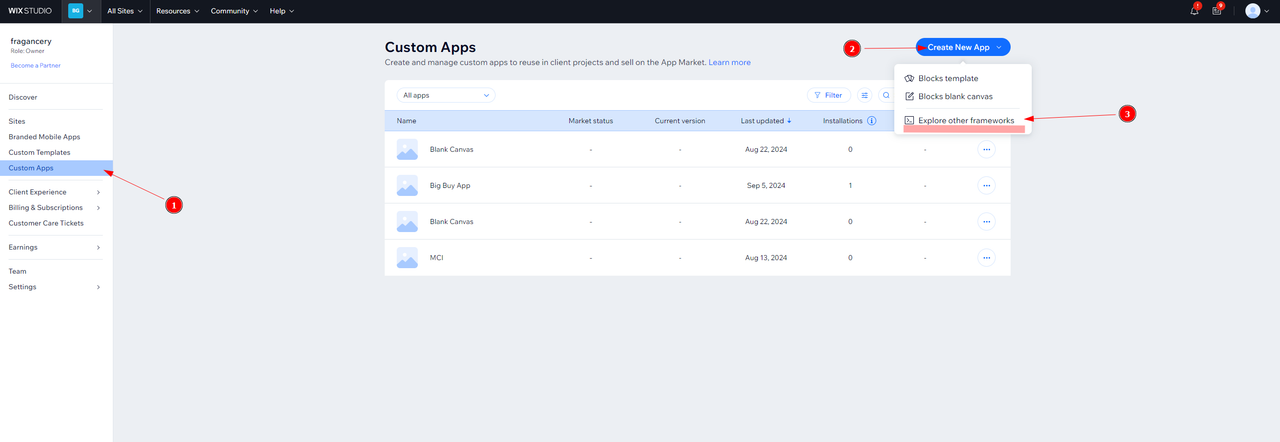
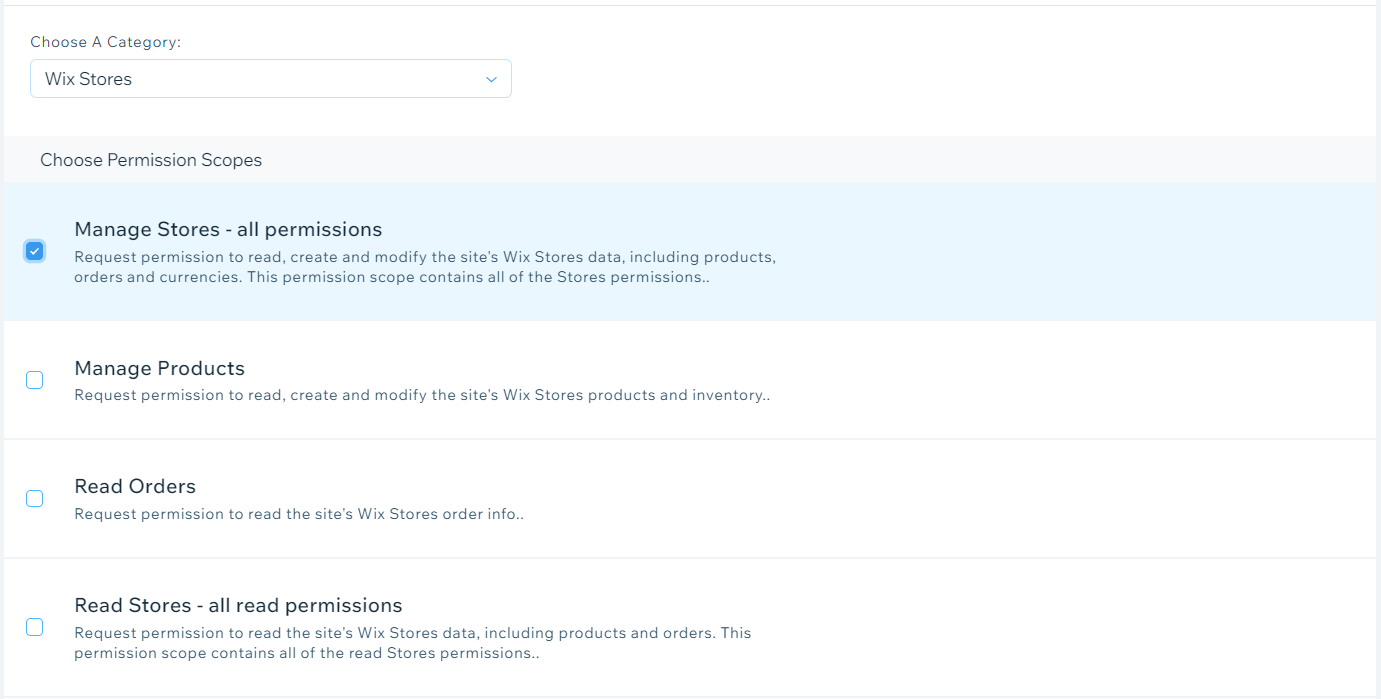
- Check that you have the following Wix Developers permissions on the application:
- Manage Your App
- Request permission to manage basic app activity
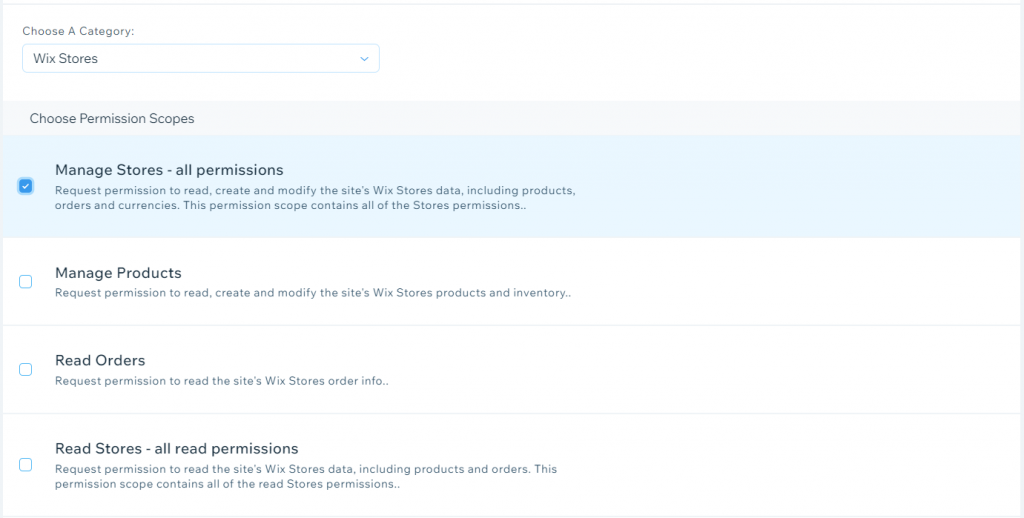
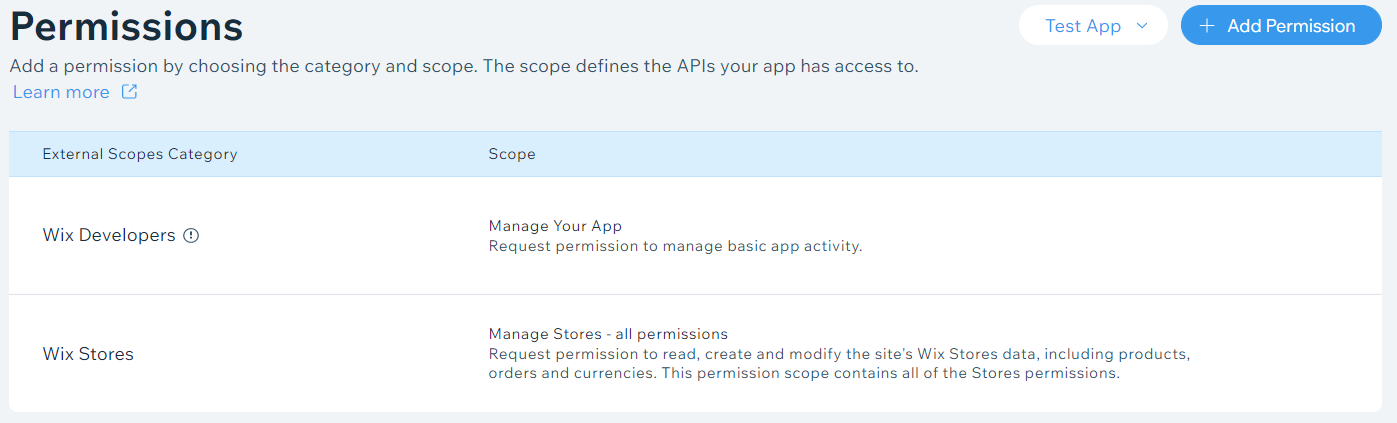
- Add read and management permissions from the Wix Stores
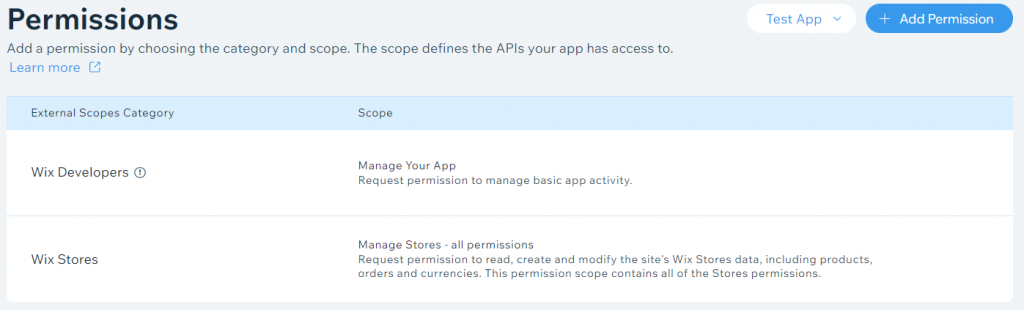 To do this, click on Add permissions.
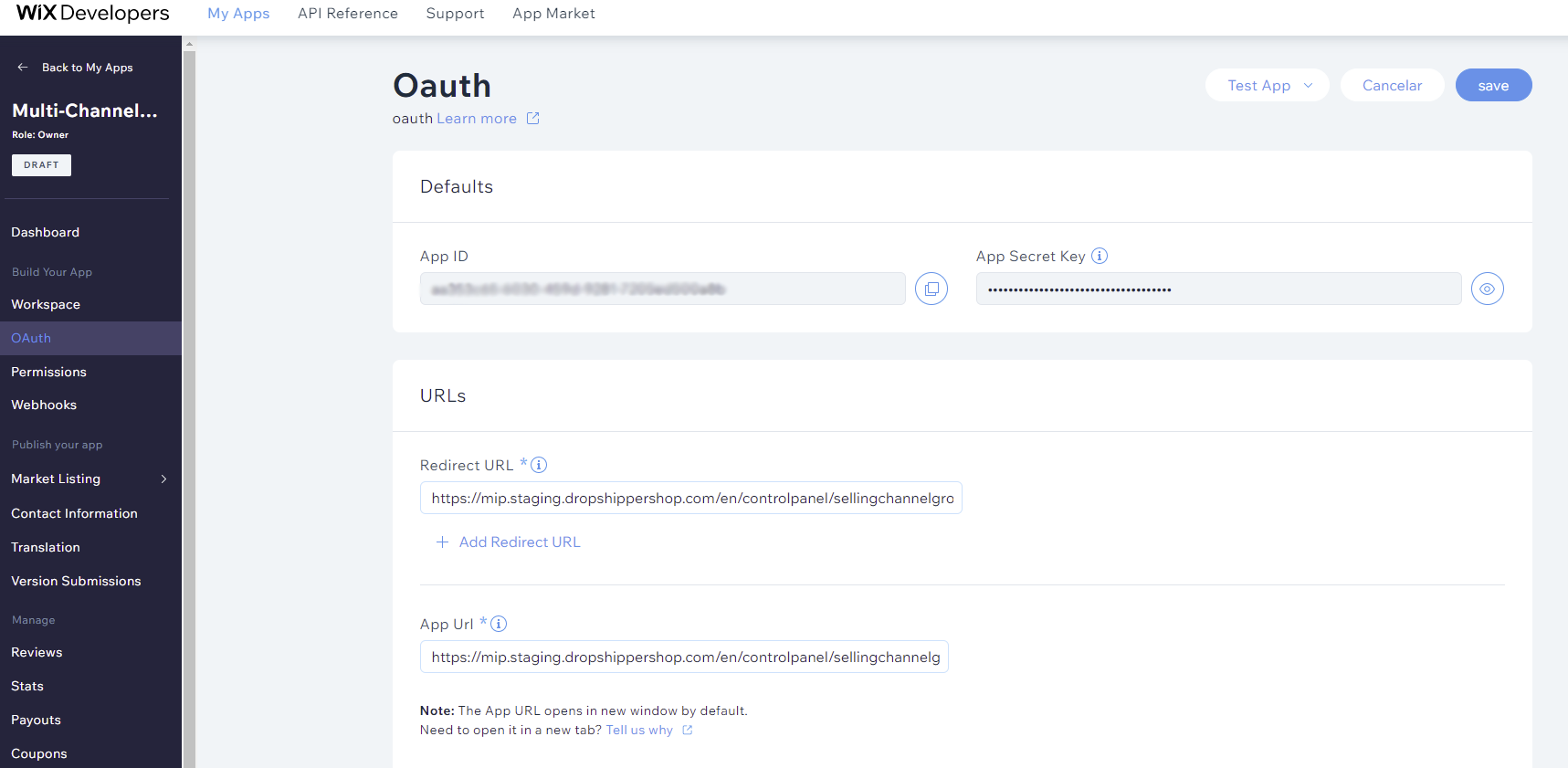
- Complete the OAUTH details
 You can choose the name you want for the app you have just created. We recommend that the name includes Multi-Channel Integration Platform (MIP) to ensure you can locate the app at all times.
Once you have created the app, you have everything you need (App ID and App Secret Key) to synchronise your Wix online store with the Multi-Channel Integration Platform.
Synchronise Wix with the Multi-Channel Integration Platform
Once you have registered your private application, you can perform the synchronisation. To do this, go to the Multi-Channel Integration Platform from your control panel and, on the Ecommerce Software, add the new Wix channel.
You can choose the name you want for the app you have just created. We recommend that the name includes Multi-Channel Integration Platform (MIP) to ensure you can locate the app at all times.
Once you have created the app, you have everything you need (App ID and App Secret Key) to synchronise your Wix online store with the Multi-Channel Integration Platform.
Synchronise Wix with the Multi-Channel Integration Platform
Once you have registered your private application, you can perform the synchronisation. To do this, go to the Multi-Channel Integration Platform from your control panel and, on the Ecommerce Software, add the new Wix channel.
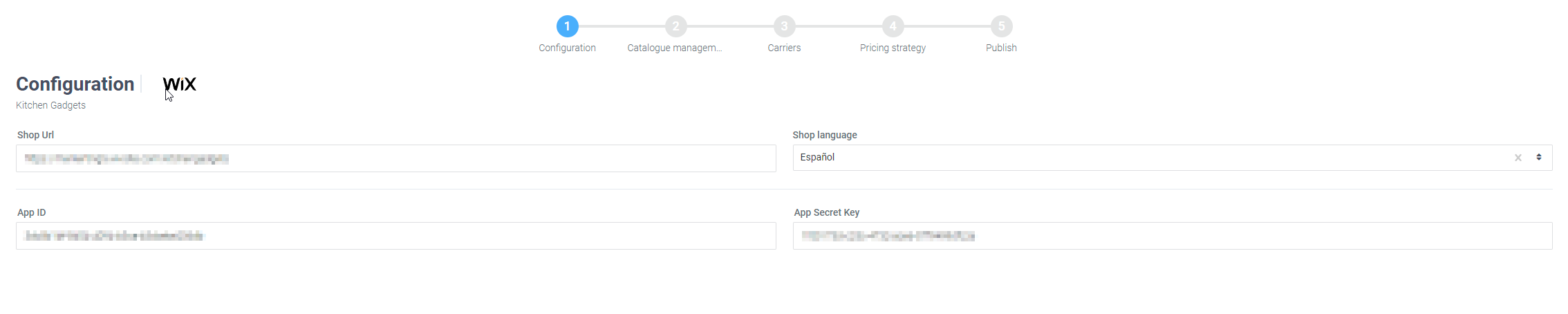
 You should now complete the data with the language, the store URL and the App ID and Secret Key for the application that you created previously. You will find this data within the OAUth section of Wix Developers.