
 Contact





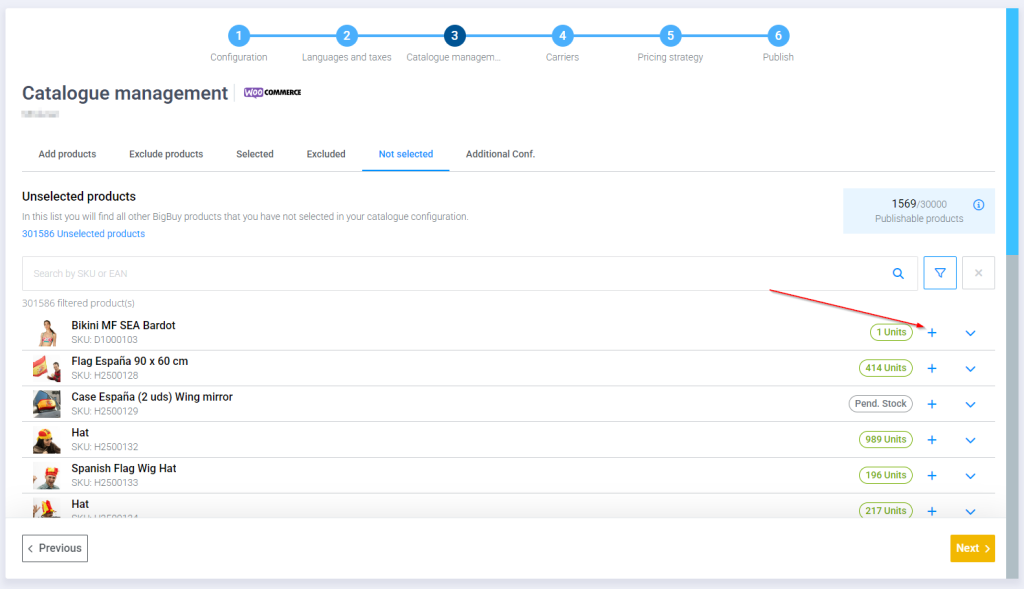
From the multichannel product selection area, you can choose products you want to add to your selection one by one, as well as remove them.
Add products
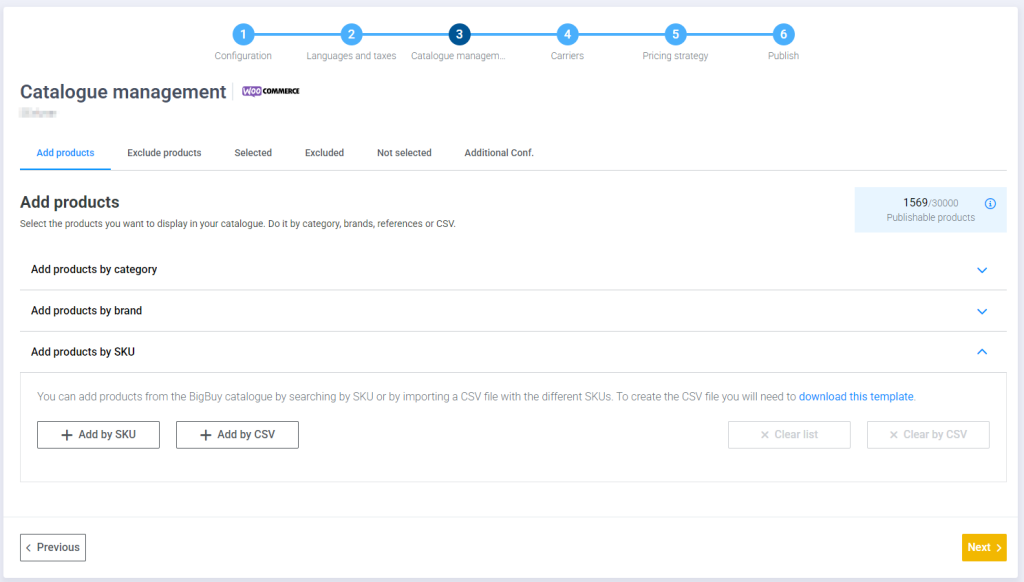
Within the catalog management step, in the Add products tab you have the option to Add by sku, simply press the button and enter the sku of the product you want to add.
Alternatively, you can go to the Not Selected tab and click the arrow on the desired product. This will add it directly to your product selection.
Exclude products
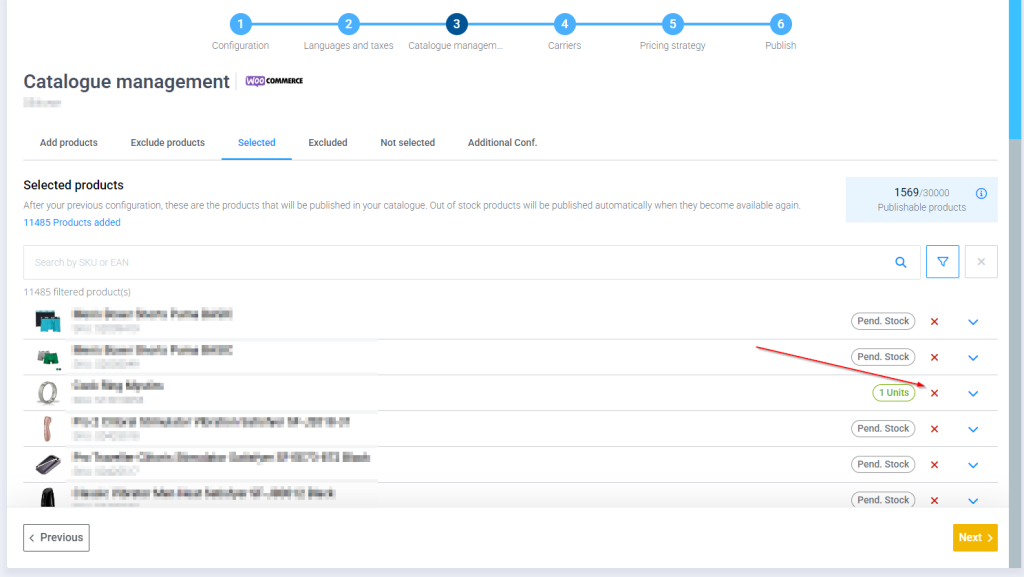
If you have products already included in your selection and want to remove them, you can do so using the two opposite functions.
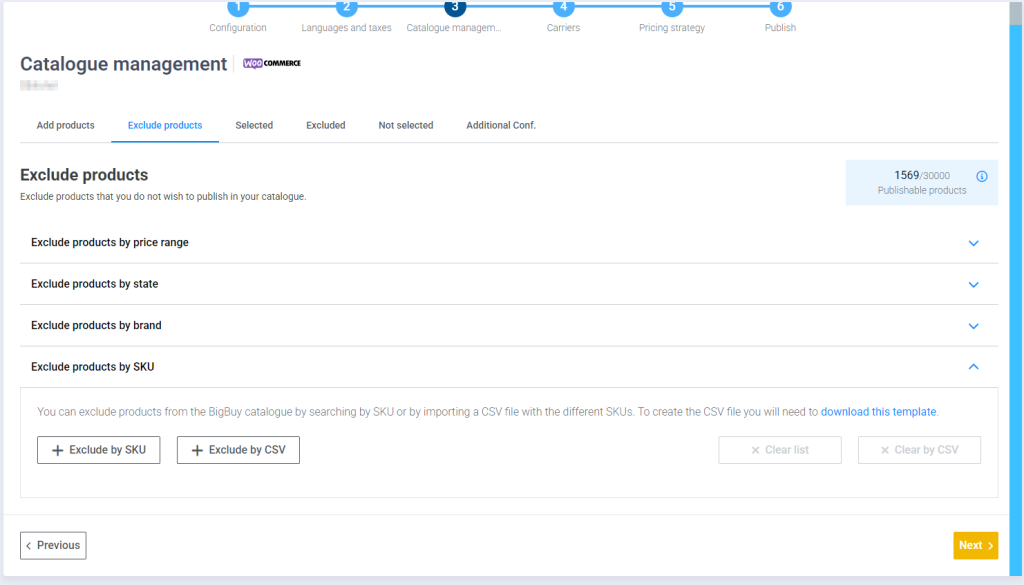
From the Exclude Products tab, you can enter a SKU and it will be excluded. Note that exclusions take precedence over inclusions.
You can also remove a product from the excluded area.
Once you have made your desired selection, remember to reach the last step of the synchronization process and publish the changes so that they are applied.