
 Contact





- How to synchronise Cdiscount through the Multi-channel Integration Platform
- How to manage the inclusion and exclusion of products through the Multi-Channel Integration Platform
- How do price rules work?
- How orders are synchronized with Multi-channel Integration Platform
- How to top up the money box in my BigBuy account
- How do I confirm the price of items on each sales channel?
If you have already made the delegation previously:
There’s no need to repeat the process. Just enter your Seller ID in the channel validation section and continue with the setup.
If you haven’t yet delegated, follow these steps:
1- Access the delegation page
🔗 Start
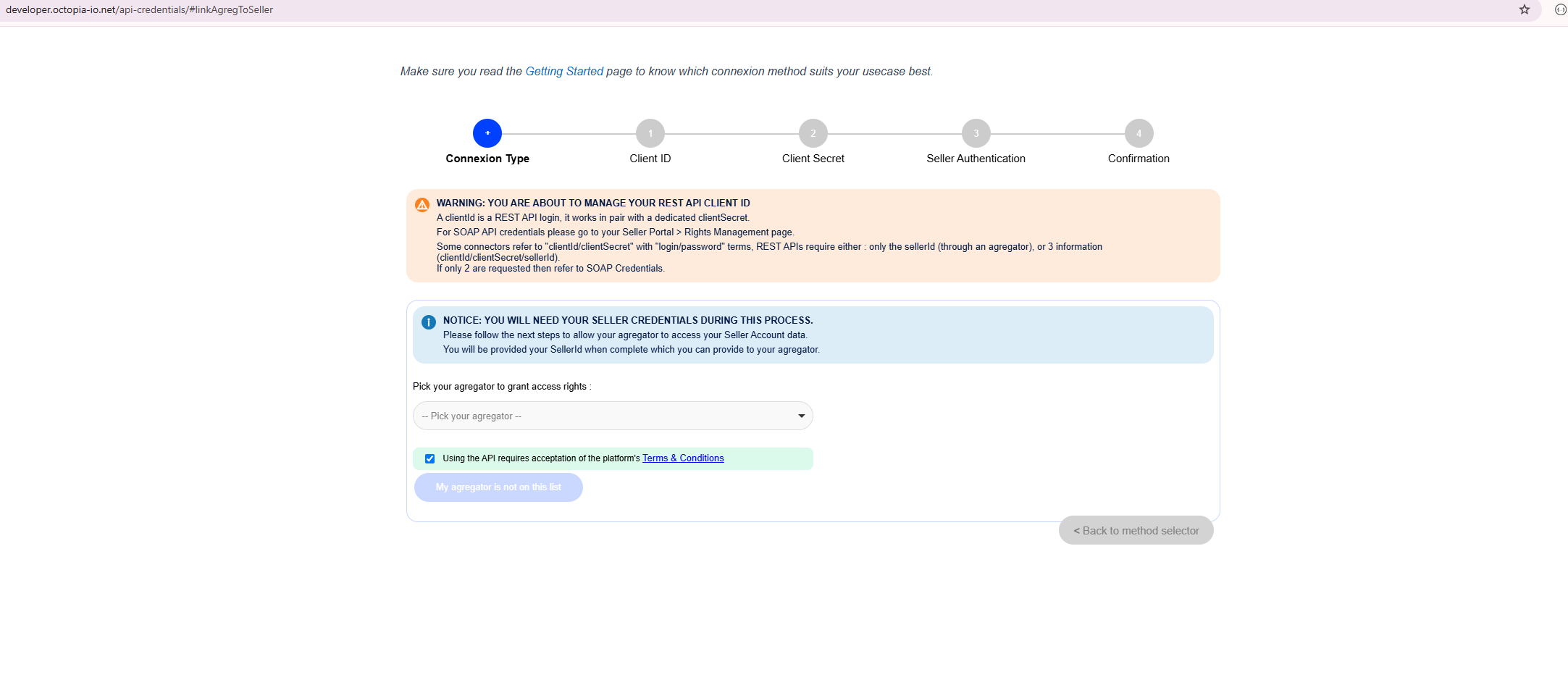
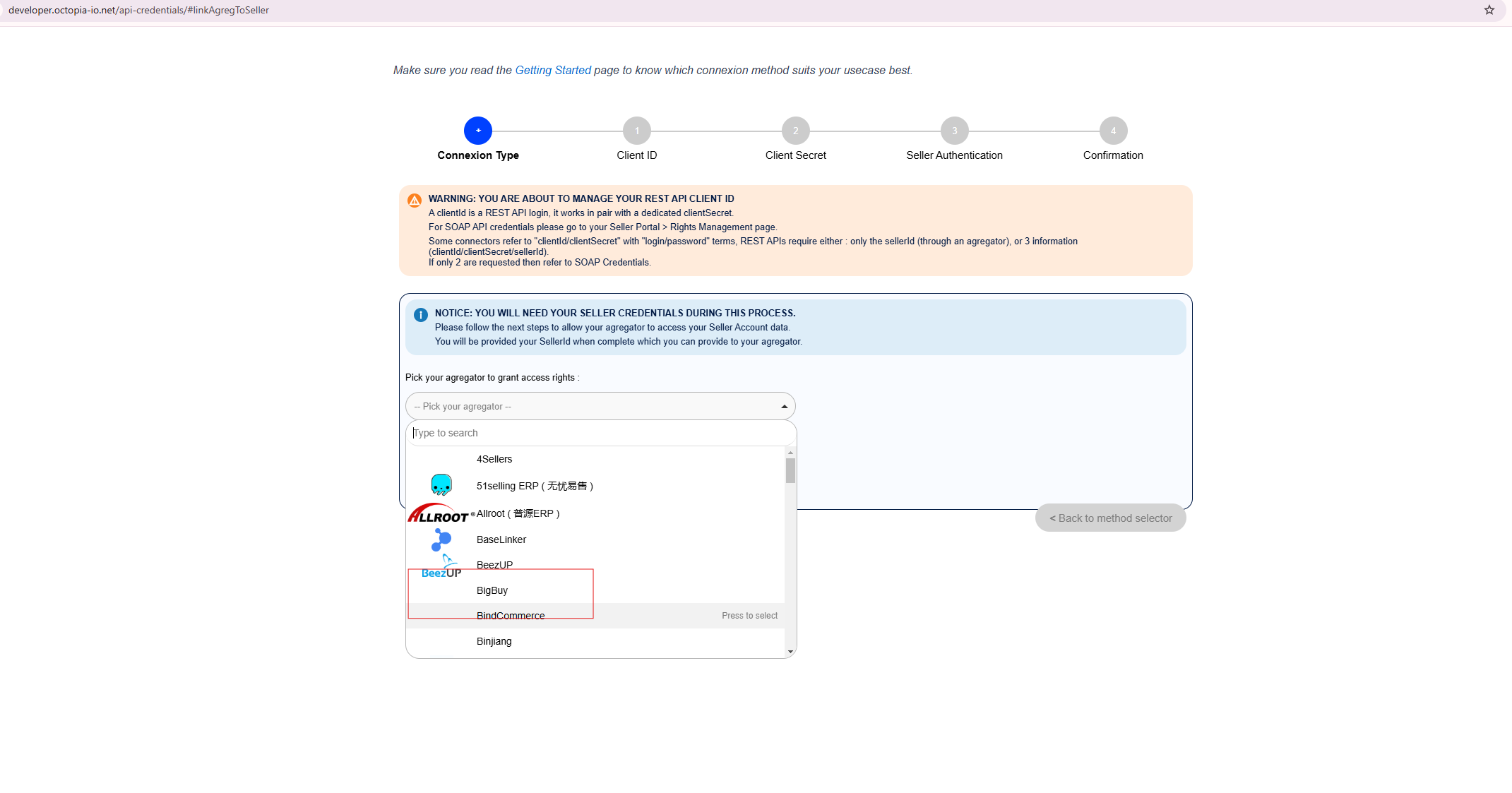
2- Select BigBuy as the aggregator
-
In the drop-down menu, choose BigBuy as the aggregator.
-
Accept the Terms and Conditions.
-
Press “Grant Access to BigBuy”.
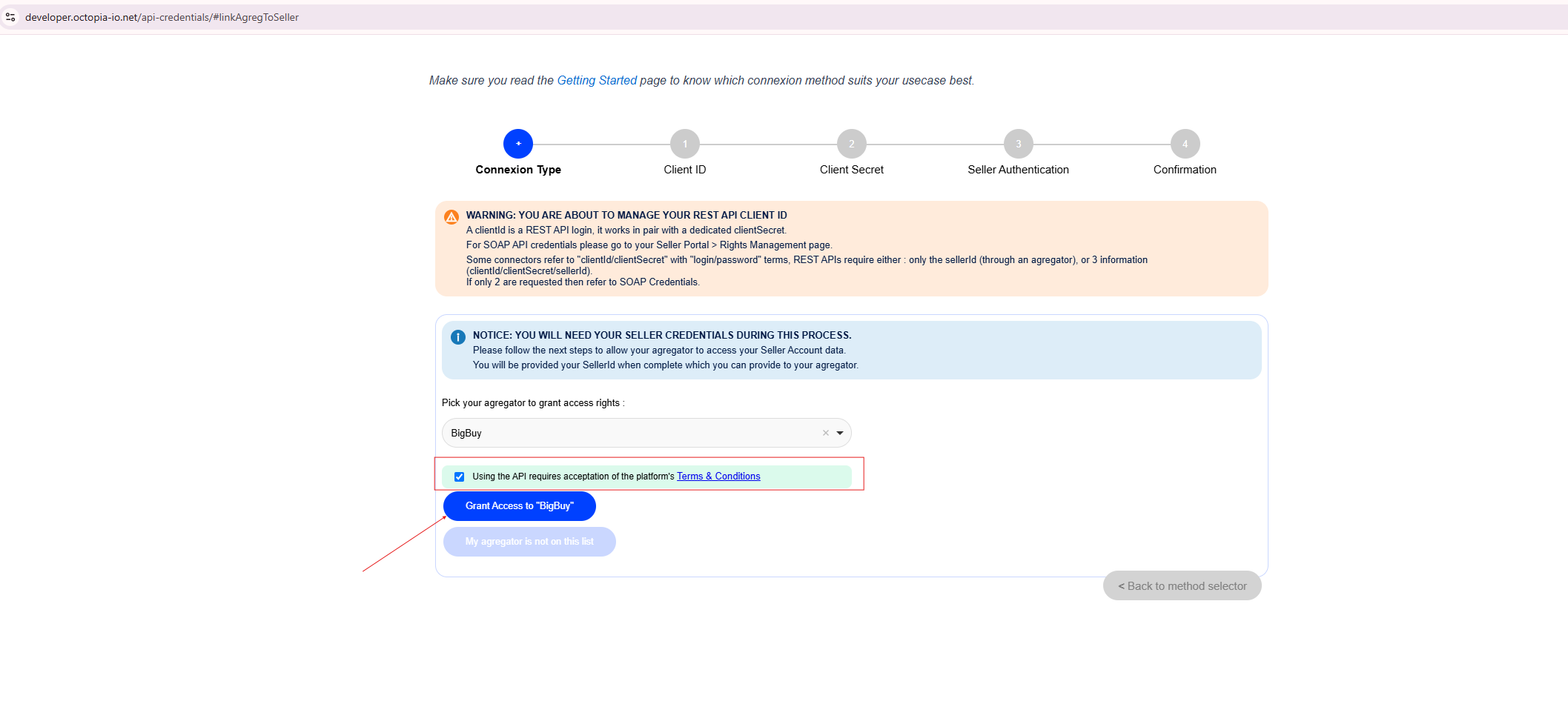
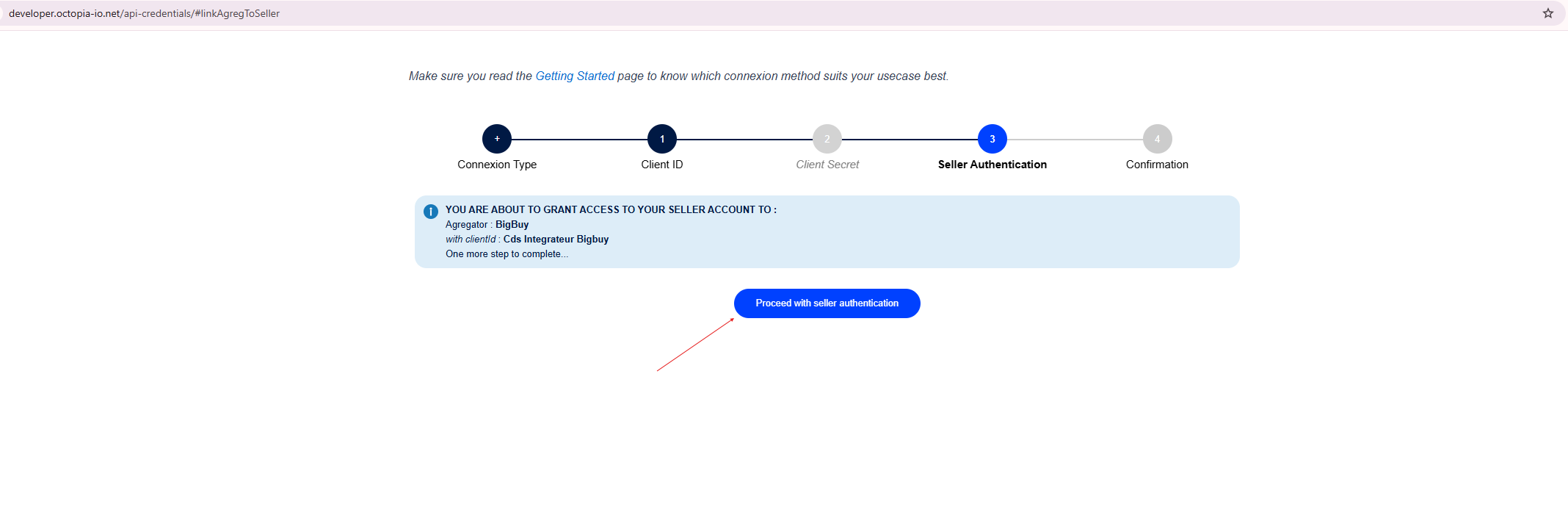
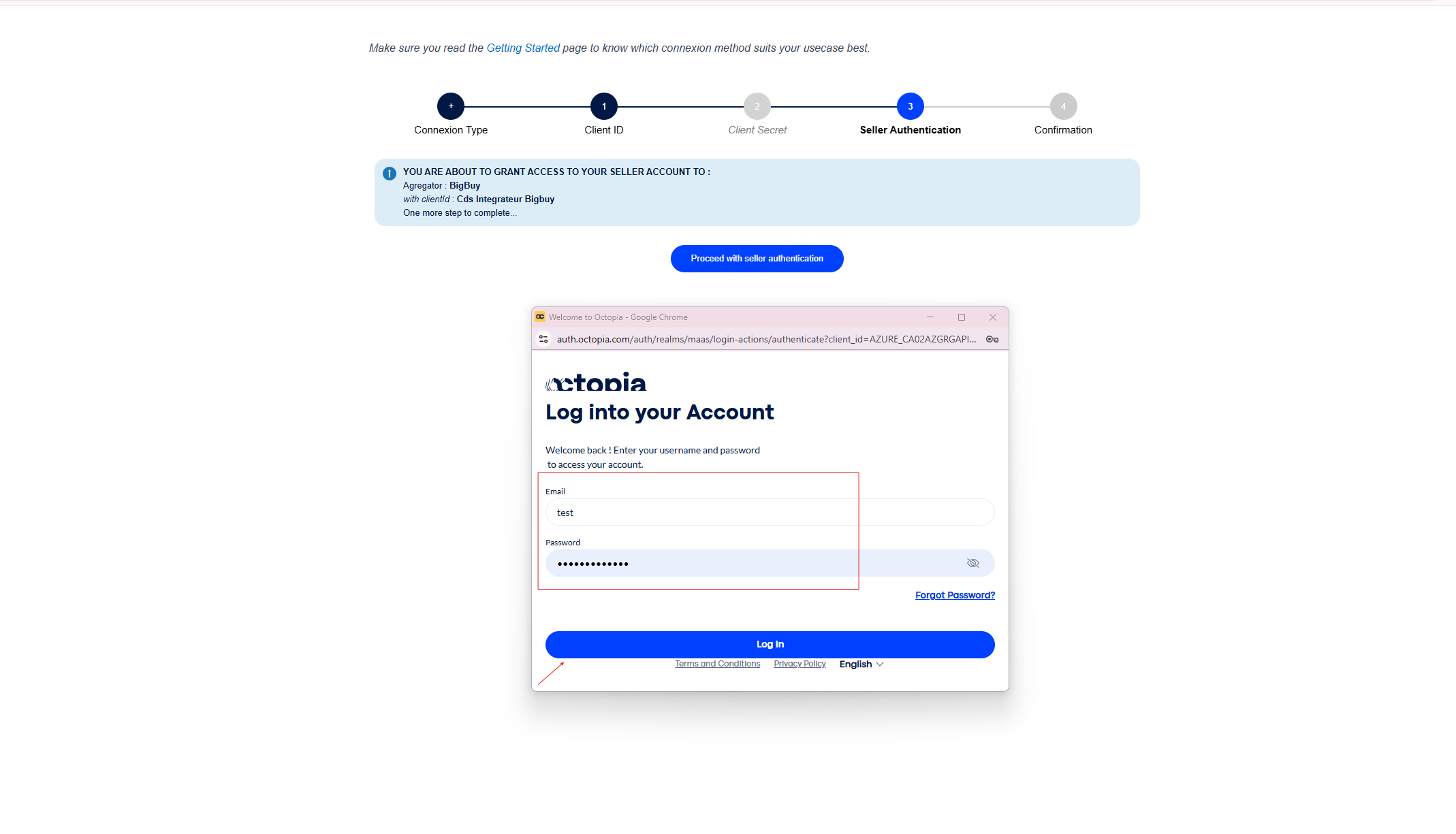
3- Authenticate your account
-
A summary of the delegation will be displayed with the BigBuy identifier.
-
Press “Proceed with seller authentication”.
4- Log in to Cdiscount
-
Enter your Seller ID and password.
-
Press “Log In”.
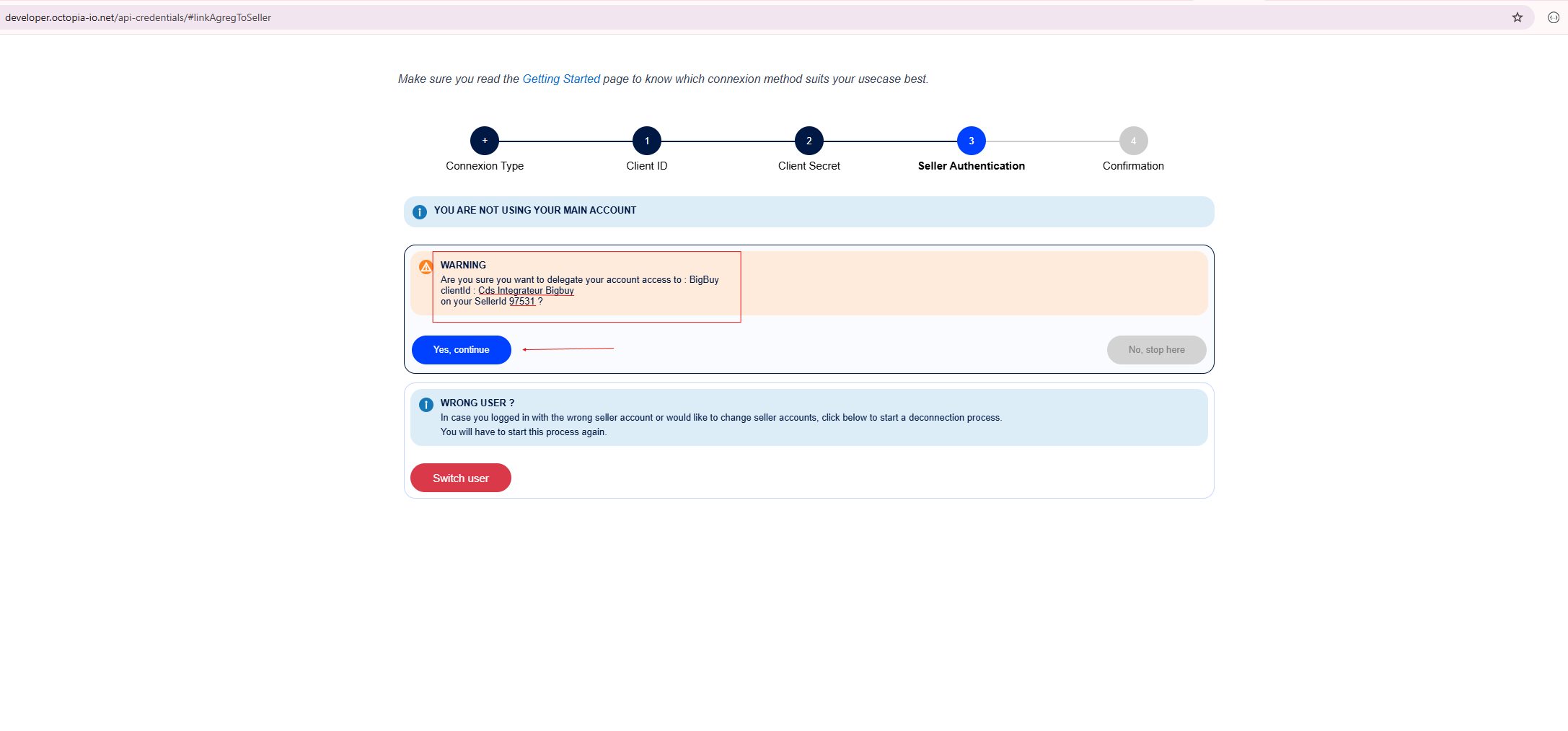
5- Confirm the delegation
-
A warning message will appear confirming access to BigBuy.
-
Click “Yes, continue” to finish.
6- Confirm
-
You will see a message indicating that the delegation was successful.
7- Validate the channel in MIP
-
Enter your Seller ID during the channel validation process.
-
Click “Next” to complete the integration.